Game On, Pain Off: Your Ultimate Guide to Ergonomic Gaming Gear
Alright, let’s cut the crap. You’re here because you’ve probably felt it. That nagging ache in your back after a marathon session, the wrist twinge that makes aiming feel like you’re fighting a rogue AI, or maybe your neck’s so stiff you can’t even turn your head to admire your own kills. Sound familiar? Yeah, it sucks. And it doesn’t have to be your reality. We’re talking about ergonomics for gamers, the secret sauce to playing longer, playing harder, and actually enjoying it without feeling like you’ve gone ten rounds with a keyboard.

Source : officesupply.com
Think of it like this: your gaming setup isn’t just some collection of cool tech. It’s your cockpit. Your command center. And if your cockpit is built wrong, you’re going to crash and burn. We’re not just talking about comfort here, though that’s a huge part of it. We’re talking about preventing injuries that can sideline you for good. Yeah, carpal tuel, back problems – these aren’t just for office drones anymore. Gamers are in the crosshairs too. But the good news? It’s totally fixable. And it starts with the big three: your chair, your mouse, and your desk.
The Throne: Why Your Gaming Chair Isn’t Just About Looks
Let’s be real, those gamer chairs with the racing stripes and the lumbar pillows that look suspiciously like a deflated whoopie cushion? They look cool. But are they actually doing your body any favors? Sometimes, maybe. But more often than not, they’re just fancy marketing. True ergonomic gaming chairs are built different. They’re about adjustability. About supporting your body exactly where it needs it, not just where the designers think it needs it.
First things first: your seat height. You want your feet flat on the floor, knees bent at roughly a 90-degree angle. If your feet are dangling, you’re putting weird pressure on your hamstrings and cutting off circulation. That’s a recipe for numb legs and an achy lower back. Conversely, if your knees are higher than your hips, you’re straining your back. It’s a delicate balance, and many chairs just don’t offer enough wiggle room. We’re talking about finding that perfect seat height, not just jamming the lever down.
Then there’s the backrest. It needs to support the natural curve of your spine, especially that lower lumbar region. Those bolt-on pillows? They’re a joke. A good chair has adjustable lumbar support built-in. You should be able to push it out or pull it in to fit your unique curve. Not your buddy’s curve, not some generic curve. Yours. And don’t forget the recline. Leaning back a bit can relieve pressure on your spine. The key is finding a tilt that feels natural and doesn’t make you feel like you’re going to slide out of your seat. It’s about spinal alignment.

Source : humanscale.com
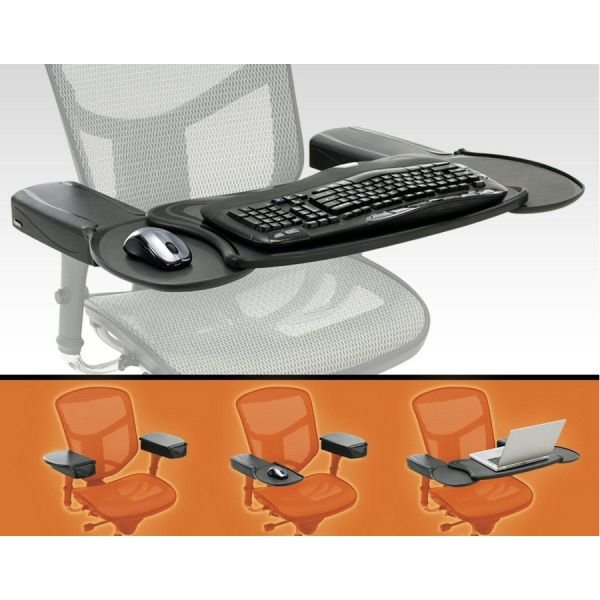
Armrests are another big one. They should be at a height that lets your shoulders relax. If you’re shrugging to reach them, that’s a problem. You want your elbows bent at about 90 degrees, wrists straight. 4D armrests (up/down, forward/back, in/out, pivot) are your best friend here. They let you really fine-tune this. Think about it: your arms are resting, not supporting your entire upper body weight. This is critical for preventing wrist strain.
So, what makes a chair truly ergonomic? It’s the adjustability. Seat height, depth, backrest angle, lumbar support, armrest positioning. If your chair doesn’t let you tweak these things to fit your specific body, it’s probably not doing you any favors. That’s why checking out resources like the gaming chair setup checklist is a smart move. It forces you to think about how every piece fits YOU.
The Grip: Making Your Mouse an Extension of Your Hand
Your mouse. It’s the interface between your brain and the game. And if it’s not the right fit, or you’re holding it like a caveman gripping a rock, you’re asking for trouble. We’re talking mouse ergonomics here, and it’s way more important than those flashy RGB lights.
First off, grip style. Are you a palm gripper, a claw gripper, or a fingertip gripper? Your mouse needs to match your natural grip. A huge, bulky mouse isn’t going to work for a fingertip gripper. Conversely, a tiny, low-profile mouse will kill a palm gripper’s vibe. You want your hand to rest naturally on the mouse, not contort into some weird shape. That means looking at the shape and size of the mouse.
Beyond the grip, think about how you move it. Are you anchoring your wrist and twisting your arm? Big no-no. Ideally, you want to use your whole arm, from the shoulder, to move the mouse. This distributes the effort and reduces strain on your wrist and forearm. If you feel tension in your wrist, try adjusting your sensitivity (lower DPI might help) or just consciously try to move from the elbow or shoulder. Seriously, move from the elbow.
Weight is another factor. Some people swear by ultra-light mice, others prefer something with a bit more heft. There’s no right or wrong answer here, but a mouse that’s too heavy for you to move easily will cause fatigue. It’s about finding that sweet spot where you can flick it accurately without feeling like you’re wrestling a brick. It’s all about finding the right mouse weight.

Source : amazon.com
And what about mousepads? They matter too! A good mousepad provides a smooth, consistent surface for your mouse to track on. Some have wrist rests, but be careful – if the rest forces your wrist into an uatural angle, it can do more harm than good. The goal is to keep your wrist in a neutral position as much as possible.
Seriously, a cheap, ill-fitting mouse is like trying to perform surgery with a butter knife. You need precision, comfort, and control. Investing in a good, ergonomic mouse that fits your hand and grip is non-negotiable for serious gamers. It’s not just about performance; it’s about longevity.
The Surface: Your Desk as a Command Center
Your desk. It’s more than just a flat surface to put your stuff on. It’s the foundation of your entire setup. And a bad desk can mess up everything else you’re trying to do ergonomically. We’re talking ergonomic desk setups.
The most critical factor? Height. Just like with the chair, your desk height dictates your posture. When sitting, your forearms should be parallel to the floor when your hands are resting on your keyboard and mouse. If the desk is too high, you’ll be hunching your shoulders. Too low, and you’ll be leaning forward, straining your back. Desk height is crucial.
This is where sit-stand desks, or adjustable height desks, become absolute game-changers. Being able to switch positions throughout the day is HUGE. Standing engages different muscles, improves circulation, and can seriously reduce the fatigue that creeps in from sitting too long. You can find great options that let you go from sitting to standing with the push of a button. It’s about dynamic sitting and standing.
Think about legroom too. Are you constantly banging your knees or does your desk feel cramped? You need enough space to move your legs freely. Some desks have crossbars or drawers that get in the way. Look for a desk with a clean design underneath, or better yet, one designed with gamer legroom in mind. You don’t want anything hindering your natural movement. Ample legroom is key.

Source : eurekaergonomic.com
Desk layout matters for ergonomics as well. Keep your keyboard and mouse close to your body. You don’t want to be reaching constantly. Monitor placement is also vital. The top of your screen should be at or slightly below eye level, and about an arm’s length away. Using monitor arms can help you achieve this perfect positioning, keeping your neck in a neutral, comfortable position.
Consider the surface material too. A matte finish reduces glare, which can cause eye strain. And cable management? While not strictly ergonomic, a tidy desk reduces visual clutter and stress, allowing you to focus better. A well-organized workspace is a well-performing workspace.
Don’t underestimate the desk. It’s the literal foundation of your gaming station. Investing in an adjustable desk or ensuring your current one is the right height can make a world of difference. It’s about creating a sustainable setup for those long gaming nights. Check out resources on ergonomics for gamers to get a better sense of the whole picture.
Putting It All Together: The Holistic Ergonomic Approach
So, we’ve covered the chair, the mouse, and the desk. But it’s not just about having the perfect pieces. It’s about how they work together. It’s about creating a cohesive ergonomic setup.
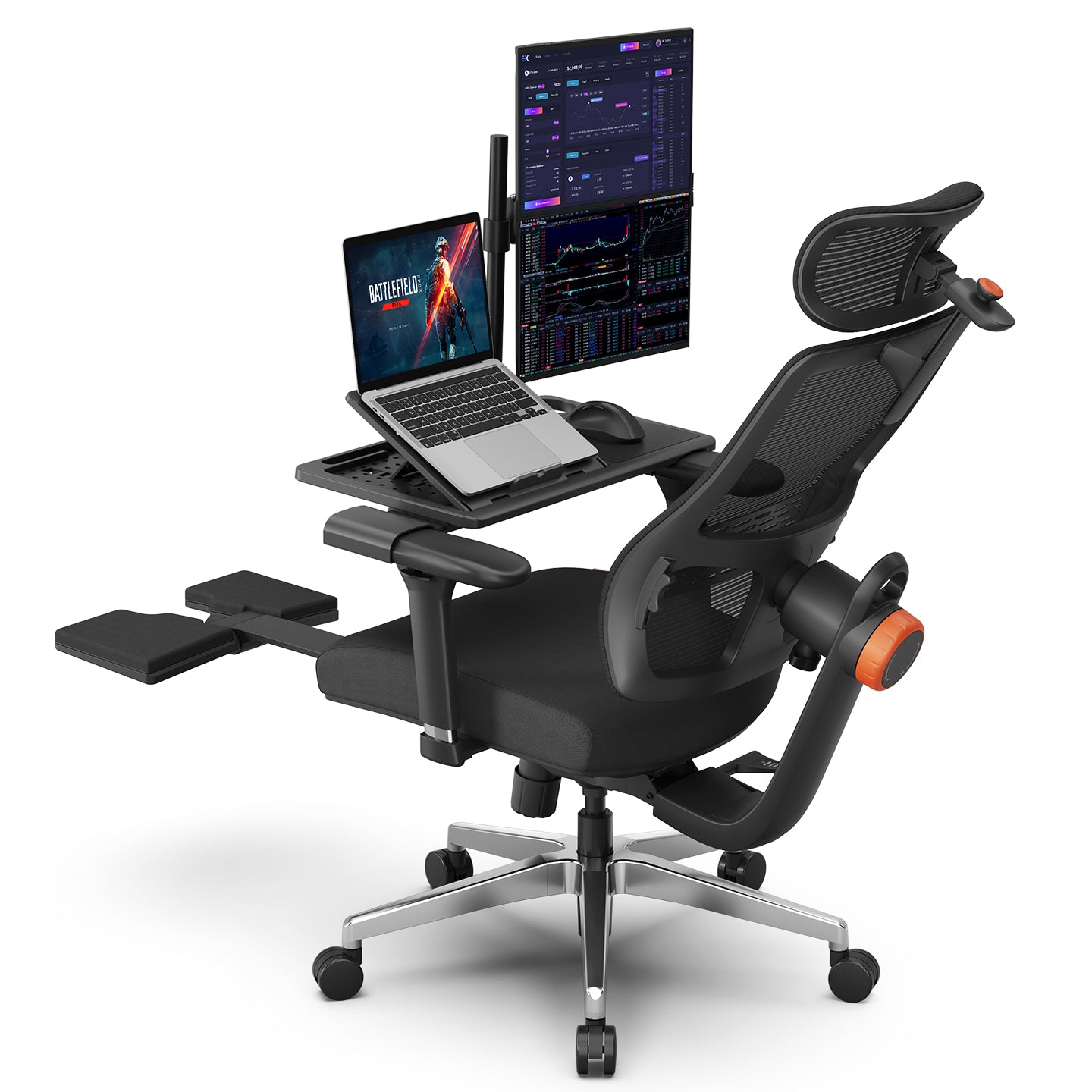
Think of it like tuning a race car. Every adjustment needs to complement the others. Your chair height affects your desk height, which affects your mouse and keyboard positioning. Your monitor height dictates your neck angle. It’s a system. Don’t just buy the most expensive chair and call it a day. You need to consider the entire ecosystem of your setup. This is where holistic ergonomics comes in.
Take breaks. Seriously. No matter how perfect your setup is, sitting or standing still for hours on end is bad. Get up, walk around, stretch. Even a five-minute break every hour can make a massive difference. Set a timer if you have to. Your body will thank you. This is essential for long-term gaming health.
Source : newtralchair.com
Listen to your body. That twinge? That ache? Don’t ignore it. It’s your body telling you something’s not right. Make small adjustments. Try moving your mouse slightly, adjust your chair a notch. Often, a tiny tweak can fix a big problem. Don’t wait until it becomes a serious injury. Address discomfort early.
Consider peripherals beyond the main three. Things like ergonomic keyboards, wrist rests (used correctly!), and even gaming glasses that reduce blue light can contribute to overall comfort and health. It’s about minimizing strain wherever possible. Every little bit helps in creating a comfortable gaming environment.
Ultimately, the goal is to play your best without paying the price later. Ergonomics isn’t some niche trend; it’s a necessity for anyone who spends significant time gaming. It’s about making your passion sustainable. It’s about ensuring you can keep fragging, exploring, and competing for years to come. Get your setup right, and you’ll not only feel better, but you might just play better too. It’s about sustainable gaming performance.
Remember, taking care of your body is part of the game. It’s not a distraction from it. For more insights on how this applies to the pro scene, check out esports health and posture. It’s all coected.
Frequently Asked Questions
Do I really need a special ‘gaming’ chair?
Honestly? Probably not. You need an ergonomic chair. That might be a fancy gaming chair with actual ergonomic features, or it could be a high-quality office chair. The key is adjustability: seat height, back support (especially lumbar!), armrest height, and tilt. Don’t get suckered by flashy logos; focus on what your body needs. A chair that fits you perfectly is miles better than one that just looks cool.
I’m getting aches after switching to a new chair. Is that normal?
Yeah, sometimes. It’s called the adjustment period. If your old chair was forcing you into bad habits, a new, supportive chair might feel weird at first. Your muscles might be used to slouching or compensating in certain ways. Give it a week or two, making sure you’re adjusting the new chair correctly. If the pain persists or gets worse, definitely see a doctor or physical therapist. But a little initial discomfort while your body adapts can be normal.
Should I use a footrest with my gaming setup?
If your feet don’t comfortably reach the floor when your chair is at the correct height for your desk, then yes, a footrest is a good idea. It helps maintain that 90-degree knee bend and prevents your legs from dangling, which can cut off circulation and cause lower back pain. Just make sure the footrest allows your feet to rest flat and doesn’t force your knees up too high.
How often should I adjust my chair and desk setup?
You don’t need to constantly fiddle with it once you find a good position. But it’s a great idea to make small adjustments throughout the day. If you’ve been sitting for a couple of hours, maybe raise your desk slightly if you have an adjustable one, or shift your posture. The goal isn’t one perfect static position, but rather to encourage movement and variation. Think micro-adjustments for maximum comfort.
Is it worth spending a lot of money on an ergonomic mouse and keyboard?
It depends. If you’re experiencing pain or discomfort, then absolutely yes. Investing in a quality ergonomic mouse and keyboard that fit your hands and reduce strain is cheaper than dealing with carpal tuel or tendonitis down the line. If you’re pain-free and comfortable, you might not need the absolute top-of-the-line stuff, but don’t cheap out on the core components that your hands interact with for hours daily. Your hands will thank you.