These Apps Will Actually Kick Your Phone Addiction to the Curb
Let’s be real. We’re all glued to our screens. It’s gotten out of hand, right? You say you want to cut back, but then you blink and suddenly you’ve scrolled through another hour of… well, whatever endless junk fills your feed. It’s a struggle. But what if I told you there are apps out there that don’t just nag you, but actually help you win the war against your own phone?
Source : canopy.us
Forget those flimsy digital wellbeing dashboards that just tell you how much time you’ve wasted. We’re talking about the real deal here. The apps that put up a fight, that force you to think twice before opening up that time-sucking vortex. These aren’t just suggestions; they’re digital bouncers for your phone usage.
Why Bother With Screen Time Apps? Seriously.
Look, nobody likes feeling controlled. But think about it. When was the last time you felt truly refreshed after a three-hour YouTube binge? Probably never. Constant scrolling fries your brain, kills your focus, and leaves you feeling… empty. These apps? They’re not about punishment. They’re about reclaiming your precious time and mental energy. It’s about getting back to actually living, not just passively consuming.
Plus, let’s not pretend we’re all masters of self-discipline. We’re human. We get bored. We get stressed. And what’s the easiest escape? That glowing rectangle in our pocket. Giving yourself some external boundaries via an app is like using training wheels for your focus. It helps you build better habits without you having to be a superhero.

Source : nytimes.com
The Heavy Hitters: Apps That Actually Work
ScreenZen: The No-Nonsense Gatekeeper
Okay, so this one’s pretty straightforward. ScreenZen isn’t trying to be your friend. It’s designed to make you pause. When you try to open an app that’s a known time-waster (you know the ones!), ScreenZen makes you wait. And not just a quick second. It requires you to hold down a button for a few seconds. It sounds simple, almost aoying, but that little delay? It’s gold. It forces you to stop and ask, “Do I really need to do this right now?” It’s a brilliant psychological trick.
I’ve personally used ScreenZen and it’s been a lifesaver during work sprints. That forced pause when I instinctively reach for Twitter? Pure magic. It broke the habit cycle cold turkey. You can get it on the App Store, and honestly, it’s worth every pey. Check out ScreenZen for yourself.
Freedom: Lock Down Your Distractions
If you need to go nuclear on distractions, Freedom is your guy. This app is more about setting up scheduled blocks where you simply caot access certain websites or apps across all your devices. Think of it like a digital curfew for your brain. You can schedule these blocks for specific times – say, during your work hours, or when you’re supposed to be spending time with family. It’s a hardcore approach, but if you’re serious about cutting down, it’s incredibly effective.
What I love about Freedom is its cross-device functionality. It’s not just your phone; it’s your laptop, your tablet, everything. So you can’t just hop over to your laptop to scroll Instagram if your phone is locked down. That kind of consistent barrier is essential for breaking deep-seated habits. It’s a bit more of an investment, but for the productivity gains, it’s well worth considering.
Forest: Gamify Your Focus
Now, for something a little more… whimsical. Forest takes a different approach. You plant a virtual tree when you want to focus. If you leave the app before your timer is up, your tree dies. Sounds simple, right? But the visual of your forest growing (or dying) is surprisingly motivating. You build a little digital sanctuary of productivity.

Source : reddit.com
It’s gamified focus, and it actually works. Seeing that little tree grow, knowing you’ve successfully resisted the urge to check notifications for 30 minutes? It feels good. Plus, they partner with a real-life tree-planting organization, so when you succeed, you’re actually helping the environment. How cool is that? It’s a positive reinforcement system that feels less like a restriction and more like a reward.
AppBlock: Your Digital Butler
AppBlock is another solid contender, acting like a digital butler who politely (or not-so-politely) keeps you on task. You can set up profiles for different situations. Need to focus on work? Block social media and games. Winding down for bed? Block news apps and anything that might keep you wired. It’s flexible and lets you create custom rules.
One of its standout features is the “strict mode.” Once activated, you can’t even disable the blocking rules until the time is up. No cheating! This is crucial for those moments when willpower totally evaporates. AppBlock helps you stick to your goals even when you’re tempted to break them. It’s got a ton of customization, which is great for fine-tuning your digital life.
One Sec: The Quick Pause Button
Similar to ScreenZen, One Sec puts a brief pause between you and your most distracting apps. Every time you try to open one, it pops up a short, customizable screen that prompts you to take a breath, maybe do a quick mindful exercise, or just reflect on why you’re opening the app. It’s designed to interrupt the mindless-scrolling reflex.
What I appreciate about One Sec is its emphasis on mindfulness. It’s not just about blocking; it’s about bringing awareness to your habits. The little prompts can be surprisingly effective at making you rethink your usage. It’s a gentler approach than some others, but still packs a punch when it comes to breaking those automatic opening behaviors. Perfect for when you need just a moment’s pause.
ClearSpace: Declutter Your Digital Life
Feeling overwhelmed by your digital clutter? ClearSpace aims to help. It’s less about rigid time limits and more about mindful usage and decluttering your digital environment. You set goals for how much time you want to reduce on certain apps, and it guides you through the process of making conscious choices.

Source : reddit.com
It encourages you to be intentional. Instead of just saying “no more Instagram,” it might ask you to reflect on why you’re using it. This introspection can be more powerful than simple blocking for long-term change. It’s about cultivating a healthier relationship with your phone, not just fighting a battle against it. Great for those who want to reduce usage without feeling completely cut off.
StayFree: Track and Control
If you’re a data person, StayFree might be your jam. It’s a robust tracker that gives you detailed insights into how you’re spending your time on your phone and specific apps. But it goes beyond just tracking; you can also set usage limits for apps and get alerted when you’re approaching them.
The real power here is in the detailed analytics. Seeing exactly where your time is going can be a huge wake-up call. You can then use that data to set realistic goals and use StayFree’s blocking features to enforce them. It empowers you with information, which is the first step to making real change. It’s a solid, all-around tool for monitoring and managing your usage.
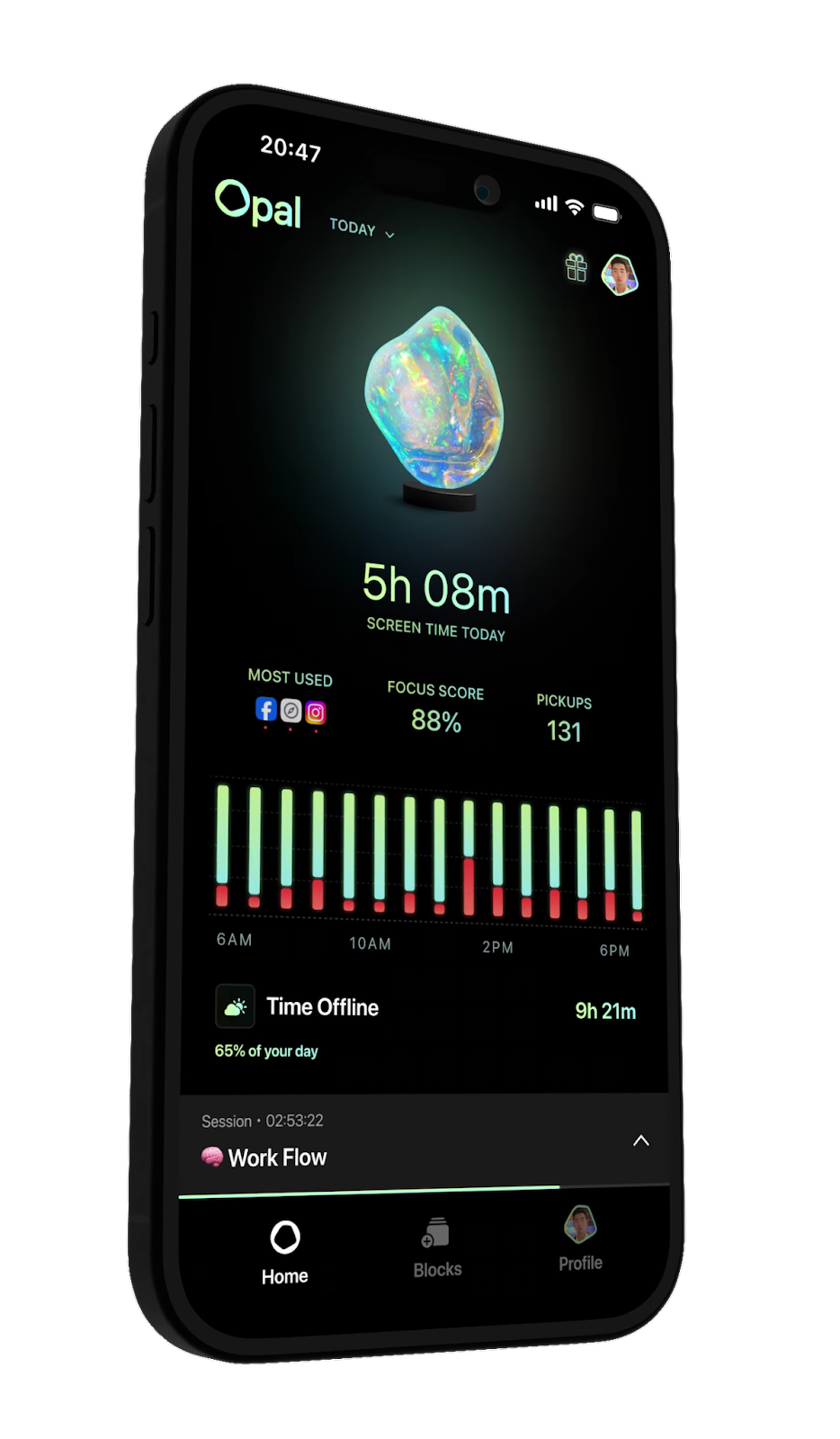
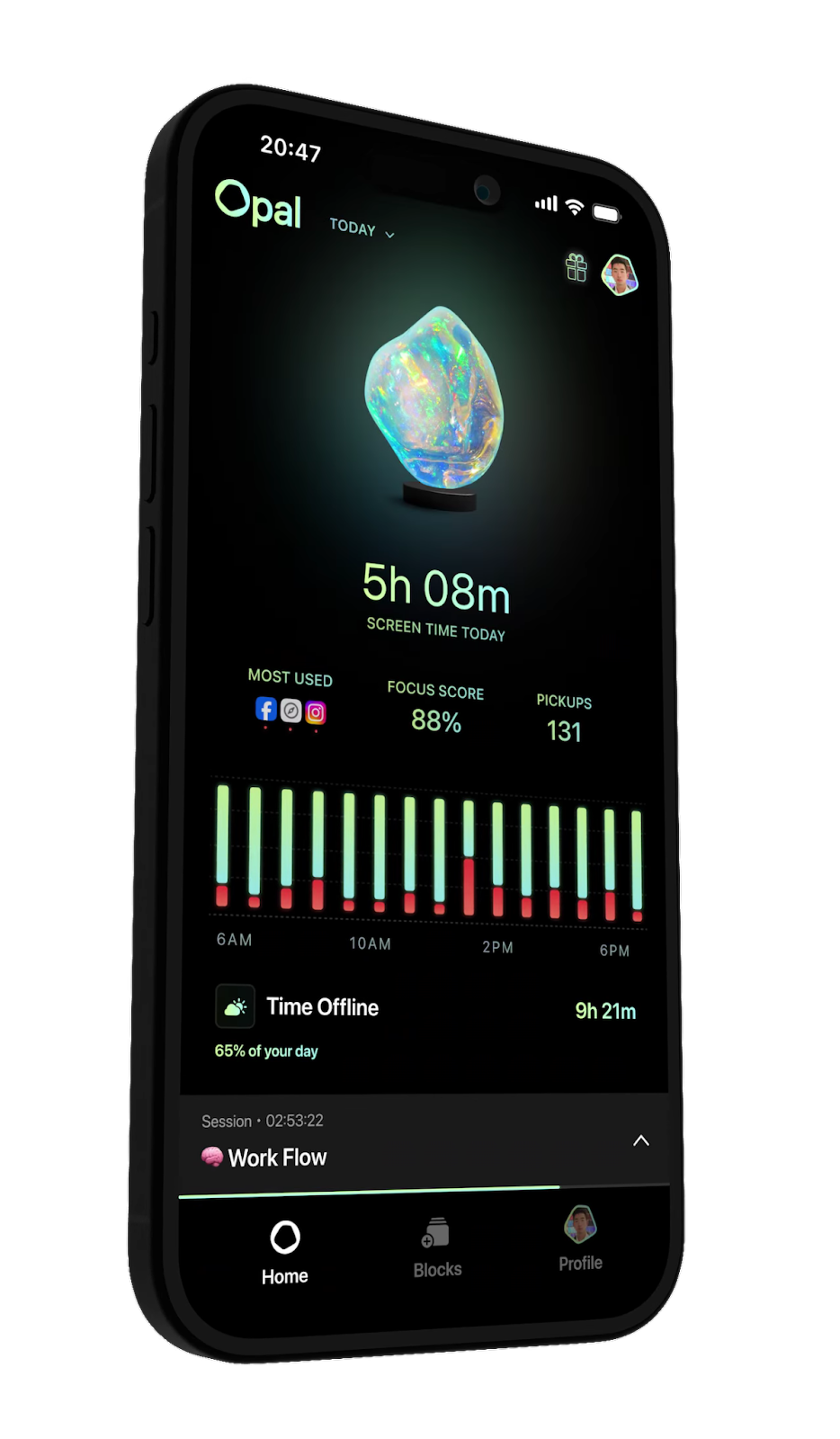
Opal: Focus with Friends
Need a little social accountability? Opal offers a cool twist: you can do focus sessions with friends. Set a goal, invite your buddies, and if anyone breaks the rules (leaves the app), everyone’s session ends. It adds a fun, collaborative element to focus time.
This is fantastic for study groups, work teams, or even just friends trying to cut back together. The shared commitment makes it harder to slack off. Beyond the group feature, Opal also has good individual focus tools, like blocking distracting apps and websites. It makes productivity feel less like a chore and more like a shared mission.
Screen Time Labs (iOS built-in, but powerful)

Source : nytimes.com
Okay, I know this isn’t a third-party app, but Apple’s built-in Screen Time feature is surprisingly powerful if you actually dive into it. You can set time limits for specific apps or categories of apps, schedule downtime, and even restrict content. It’s integrated right into your iPhone or iPad, so there’s no extra download.
The trick is using it effectively. Many people enable it but then ignore the alerts or just override them. You have to be deliberate. Set meaningful limits, use the “Downtime” feature religiously, and consider using the “App Limits” with short durations (like 15 minutes) for heavy-duty time sinks. It’s easy to dismiss, but if you commit, it works. Find more info on managing your digital life at best apps to help.
Which App is Right for YOU?
It really boils down to your personality and your biggest pain points. Are you impulsive? ScreenZen or One Sec might be perfect. Need hard deadlines? Freedom is your best bet. Want to make it fun? Forest or Opal. Need hard data? StayFree. And don’t discount the built-in tools like Apple’s Screen Time if you’re disciplined enough to use them.
The key is to experiment. Try one or two out. See how they feel. The best app is the one you’ll actually use. Don’t aim for perfection overnight. Small, consistent steps are what lead to lasting change. This journey is about finding balance, not eliminating your phone entirely (unless you really want to, then go for it!).
Frequently Asked Questions About Screen Time Apps
What’s the point of screen time apps if I can just turn them off?
That’s the million-dollar question, right? Look, these apps aren’t magic shields. The point isn’t that they’re impossible to bypass. The point is to create friction. They add a deliberate pause. For impulse users, that pause is enough to break the cycle. For others, features like “strict mode” or “group sessions” make it much harder to cheat. It’s about making the unhealthy behavior require more effort than the healthy one.
Can these apps really help me reduce my screen time significantly?
Absolutely. If you pick the right app for your habits and actually commit to using it, you can see major reductions. Think about it: if an app forces you to wait 10 seconds before opening Instagram, or locks you out completely during work hours, that’s time not spent scrolling. Many users report cutting their screen time by hours per week. It’s about building awareness and creating barriers.
Are there any good free screen time apps available?
Yes, definitely! Apple’s built-in Screen Time is free. Forest has a free basic version (though the premium is worth it for more features). StayFree has a solid free tier for tracking and basic limits. AppBlock also offers a good amount of functionality for free. The key is that even free versions can make a big difference by just making you more aware and adding that crucial pause. Check out resources like SmartSocial for ideas.
How do I choose the best screen time app for my specific needs?
Think about your biggest weakness. Are you easily distracted by notifications? Maybe something like One Sec or ScreenZen works. Do you get lost in social media for hours? Freedom or AppBlock could be better. If you need accountability, try Opal. If you just want to track and understand your habits, StayFree is great. It’s about matching the app’s core feature to your personal struggle.
What happens if I get locked out of an important app by a screen time app?
Most apps have an override or emergency access option, but it’s usually designed to be inconvenient. For example, you might have to wait a set time (like 15 minutes) or go through a few extra steps. This is intentional – it’s supposed to make you think twice about whether it’s a true emergency. If you find yourself constantly needing to override, you might need to adjust the app’s settings or re-evaluate your limits. It’s a balance, not a prison sentence.